


You can add multiple phone numbers to your account so you can be reached wherever you are.
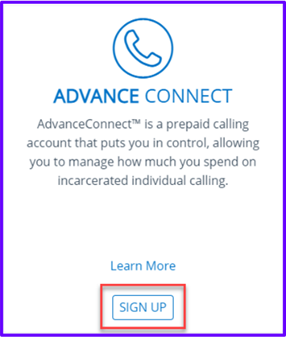
To get started click here. Click Sign Up. This will take you through the process of creating a Securus Online account.
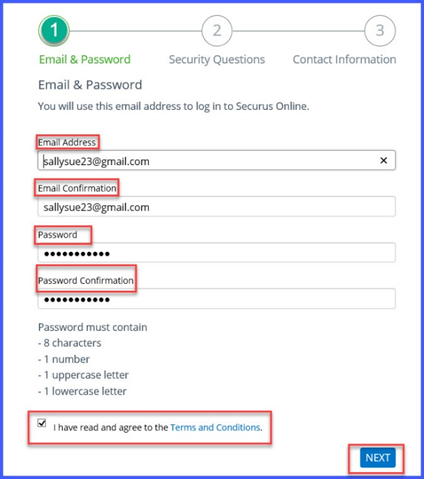
You must enter the following:
- Email address
- Confirm your email address
- Create a password (Passwords must be 8 characters long, with 1 upper case letter, 1 lower case letter and 1 number)
- Confirm password.
- Read the Terms and Conditions and check the box to indicate you have read and agree to the terms and Conditions
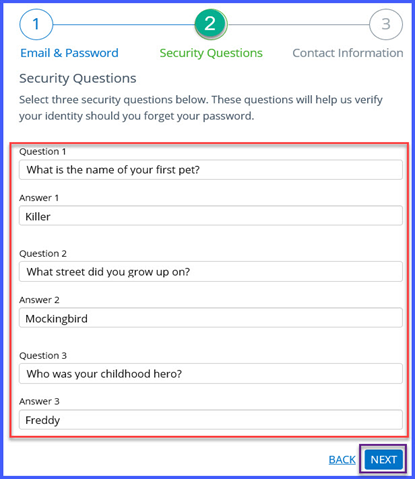
- You will then be asked 3 security questions and answers to help secure your account
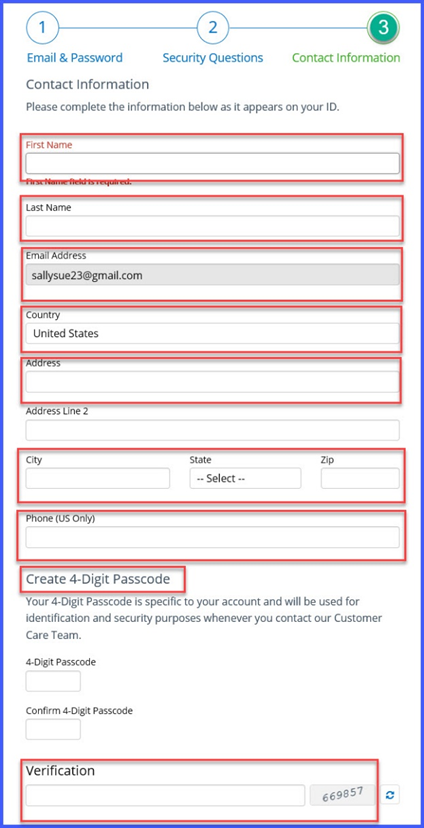
- Then you will complete the enrollment by entering in your contact information
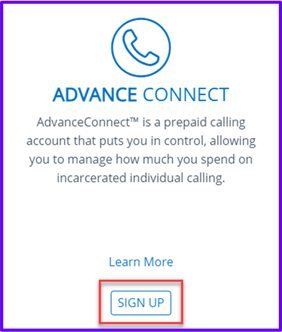
Now that you have set-up your access, you can log in and set-up of your AdvanceConnectTM account. Locate the tile for Advance Connect and click Sign Up.
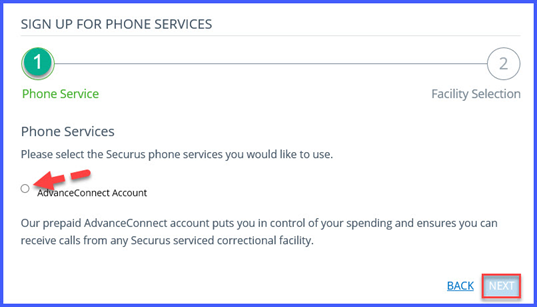
Select Advanced Connect Account option, click Next.
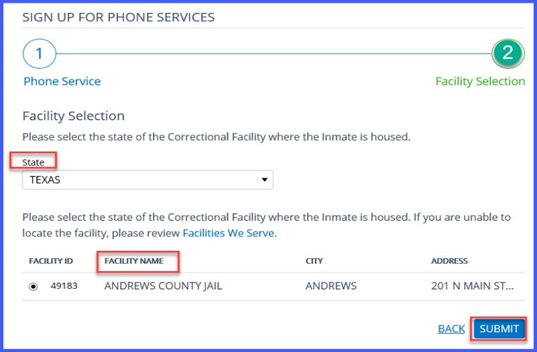
Select State
Select Facility
Click Submit Product availability depends on the location of the incarcerated individual.
Product availability depends on the location of the incarcerated individual.