

Securus Video Connect
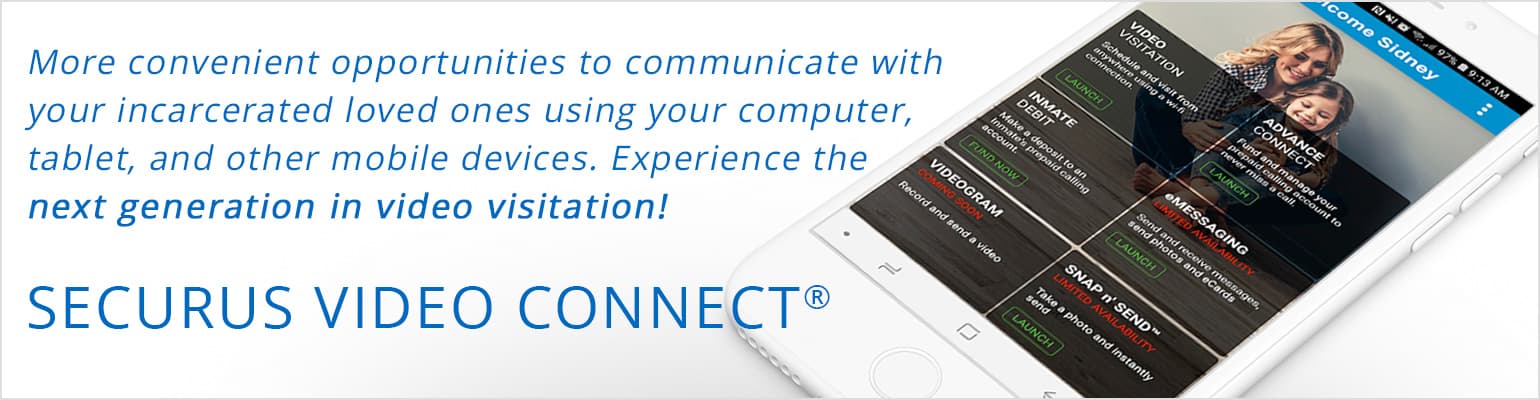
Many of you have asked for a better way to connect with your incarcerated loved one. So, we’re replacing the existing JPay Video Connect technology at [facility] with our improved Securus Video Connect service. With Securus Video Connect, you can schedule and participate in video visits right on your smartphone or tablet using the Securus Mobile app. It’s easy – to use Securus Video Connect, please sign up for a Securus account here or download Securus Mobile from the app store on your phone/tablet.
Don’t Have the Securus Mobile App Yet? Download it today!


Any sessions previously scheduled on the old system after [time] tomorrow have been canceled. Credits for any such canceled sessions will go back to the JPay account used to pay for the visits, then refunds may be requested by calling 800-574-5729.
Your incarcerated loved one will use Securus Video Connect just like the previous version of our video visit software. And we have good news: Our new service delivers an even more reliable, robust connection, improved audio and video quality, and many additional options! With this upgrade, you will be able to take your loved one with you virtually anywhere you go so you can share more of life’s special moments together.
Important notes about this upgrade and using the new service:
- You MUST have a Securus Online account to schedule and participate in Securus Video Connect sessions. If you have not already done so, please sign up for a Securus Online account as soon as possible. Download the Securus Mobile App, or click here to create your account.
- Make sure to register with your legal first and last name as it appears on your driver’s license or other identification documentation used on the visitors’ list at [facility]. Note: You will upload a photo of your ID as part of the approval process, which typically takes 24 to 48 hours.
- After the upgrade and your account registration are complete, you will schedule and participate in video visits through the Securus Mobile app or online at securustech.online.
You and your loved one will continue to use our JPay system for payments and other services.
We make it a priority to invest in advancements that increase education, communication, wellness and reentry opportunities for your incarcerated loved one – this upgrade is just another example of that commitment.
Frequently Asked Questions
- How is Securus Video Connect different from JPay Video Connect?
JPay Video Connect was only available to you, as family and friends, through a computer. With Securus Video Connect, you can take your incarcerated loved one along with you virtually anywhere there’s a strong internet connection using the Securus Mobile app!
- How do I sign up for and use Video Connect?
Just download the Securus Mobile app and select Create Account or click here and select Sign Up. Follow the easy instructions to register.
- Can I use Securus Video Connect to schedule onsite terminal visits with my loved one?
Yes! Use Securus Video Connect to schedule onsite video sessions in advance to reduce administrative steps and your wait at the facility, so you can spend more time connecting. Product to confirm whether all sites have lobby terminals. If no, we’ll add “where available.”
- Should my incarcerated loved one’s attorney be using Securus Video Connect?M
Yes! Securus Video Connect is the most convenient and cost-effective way for attorneys to have multiple, confidential visits with your loved one. Attorneys can simply download the Securus Mobile app or click here and follow the simple steps to register.
- How do I get more information about Securus Video Connect or troubleshoot problems?
Securus has a dedicated recorded information hotline: 877-578-3658, press 1.
- What if I have additional questions?
Check out our searchable FAQ resource here. Should you still need support, we are always around for you at 800-574-5729. Help is available to you 24/7/365!
Video Connect Top 10 Tips:
Most problems family and friends run into with remote video visits are due to issues with their connection or device. For the best Securus Video Connect® experience:
- Make sure you have a reliable, high-speed internet connection. Wi-Fi is preferable over a mobile data connection.
- Keep other network usage low so you have enough bandwidth for your visit.
- Use high-quality devices (headset/earbuds with microphone recommended).
- Test your technology beforehand.
- Limit unnecessary visual and audio background distractions.
- Ensure your environment has adequate lighting.
- Let others know that you’ll be in a video visit so they don’t disturb you.
- Turn off digital notifications so you’re not interrupted by dings and rings.
- Be in a safe spot; do NOT participate in a video visit while operating a vehicle.
- Use calendar reminders so you’re on time – your loved one is waiting!
Securus is not responsible for the quality of your Internet connection or for the setup and operation of your computer, web camera, or other hardware. Problems related to your Internet connection or hardware should be directed to your Internet service provider or a qualified computer repair technician. Visit Securus Terms and Conditions for full details.
Customer Care

Social Media






is the parent company of
Privacy Policy | Terms & Conditions
©2026 | Securus Technologies, LLC All Rights Reserved
Money transfers and payments are subject to terms of service and may be subject to state laws and regulations. Please see the JPay website for further information. Apple, the Apple logo, iPhone, and iPad are trademarks of Apple Inc., registered in the U.S. and other countries. App Store is a service mark of Apple Inc.Android, Google Play and the Google Play logo are trademarks of Google LLC